Use the Generic Parts tab to remove any Local Parts you no longer offer.
Note: There is no confirmation before the part is deleted.
To delete a local part:
- Click the Administration tab.
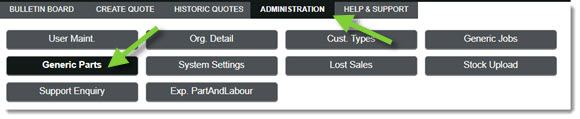
- Click the Generic Parts tab.
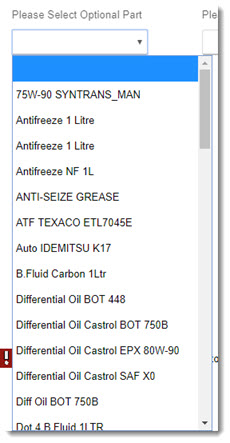
- Choose the appropriate part from the Please Select Optional Part drop-down.
-or-
Choose the appropriate part from the Please Select Mandatory Part drop-down.
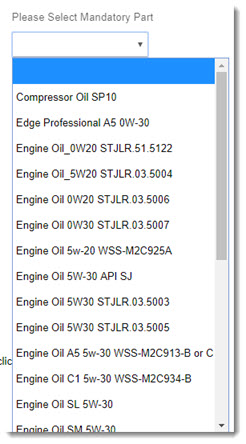
- Click the trash can icon to the right of the part you'd like to delete.

- The part will be removed from your list.
KB Article #5850