Both generic and custom local jobs can be updated through the Administration tab.
To update a generic or local job:
- Click the Administration tab.

- Click the Generic Jobs tab.
- Click the pencil icon to the right of the appropriate job.
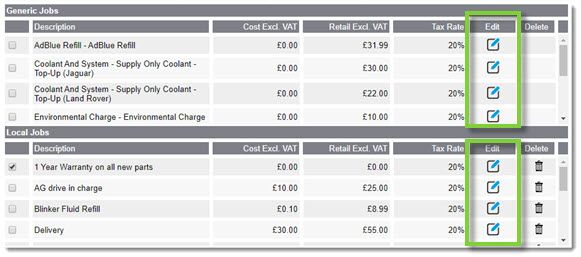
- Amend the job as needed.

- When ready, click Save. The updates will appear in the job line item.
KB Article #5855