Use the Generic Parts tab to add Local parts that you recommend. You can add, delete, and update these local parts as needed through this tab.
Note: Manufacturer Parts are recommended by the vehicle manufacturer. These parts cannot be added, removed, or edited.
To add a local part:
- Click the Administration tab.
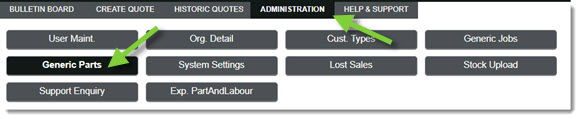
- Click the Generic Parts tab.
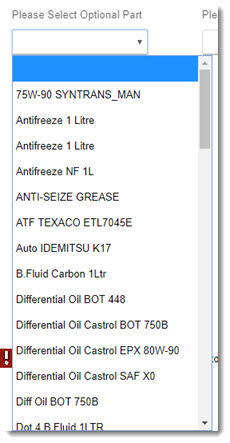
- Choose the appropriate part from the Please Select Optional Part drop-down menu.
-or-
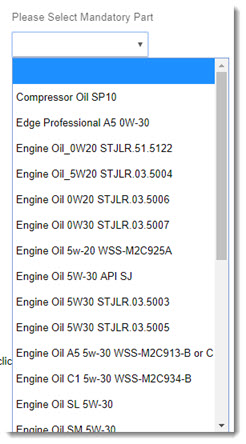
Choose the appropriate part from the Please Select Mandatory Part drop-down menu.
- Fill in the provided fields to add the part.

Options include:- Quantity
- Description
- Part No.
- Cost Excl. Tax (p. Part/Ltr)
- Retail Excl. Tax (p. Part/Ltr)
- Tax Band
- When ready, click Save.
KB Article #5849