Generic/local jobs can be automatically added to every new quote. If a local job has not been created, click here for instructions to create it.
To automatically add a job to a quote:
- Click the Administration tab.

- Click the Generic Jobs tab.
- Tick the box(es) to the left of the generic job(s) you would like automatically added.
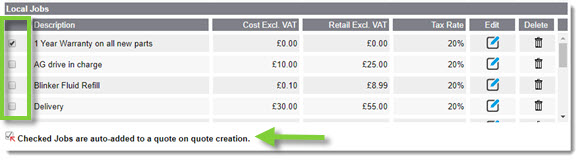
- This page quickly refreshes to begin automatically adding the job(s) to quotes.
To disable jobs from being automatically added:
- Click the Administration tab.

- Click the Generic Jobs tab.
- Untick the box(es) to the left of the generic or custom job(s) you no longer wish to be automatically added.
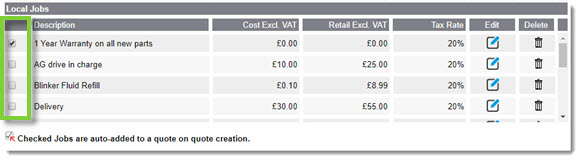
- The tab will refresh to end automatically adding the job(s) to quotes.
KB Article #5852