If you need further assistance, you can send a query through Help & Support.
Watch this video to learn more!
To send a help request:
- Click the appropriate brand.

- Click the Help & Support tab.

- Call the phone number provided.
-or-
Type your message in the provided text box and click SEND.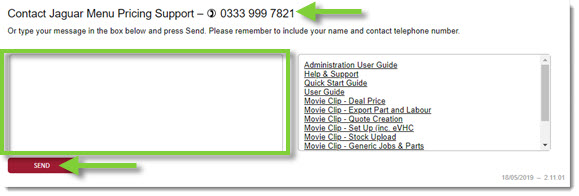
- Be sure to provide as many details as possible, including screenshots if possible.
- Note: Your user and contact details will automatically transmit with the message.
KB Article #5881