Within an open quote, standard jobs are located in the left-hand panel for quick access. Use the search bar to additionally search for a specific job.
Notes:
- If quote began with a VIN or registration number, toggle the MFC Filter to On to limit job options to only those applicable to that specific vehicle. (The default option can be changed in the Administration tab. Click here for instructions.)
- If more than one job option is available within a section, additional information (known as job notes) will show to provide those options.
- For example, if there are two Ventilated Discs available for a brake operation (one with 4 bolt fixing and one with 5 bolt fixing), both options will show. If only one option is available, only one will appear.
Watch this video to learn more!
To add a standard job:
- In the left-hand panel, click the + next to the applicable menu option to expand the options.
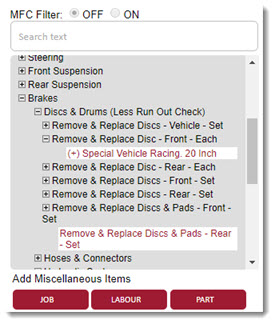
- Continue expanding the options until the desired job appears.
- Click the line item to add it.
- The window will refresh and the job will be added as a new line item.
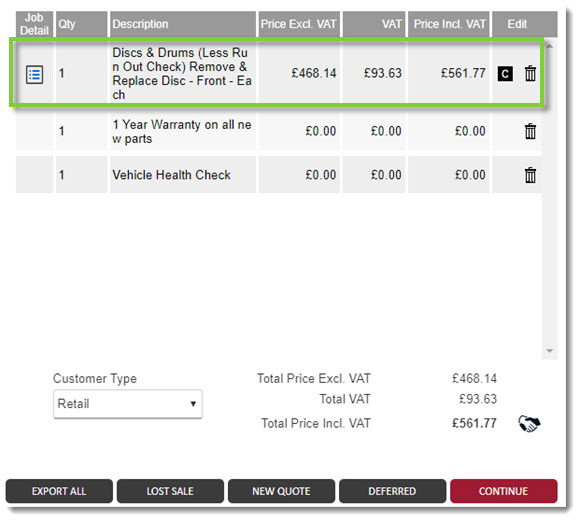
- Continue adding jobs as needed.
- Click Continue when the quote is ready.

KB Article #5864